Sharing on Facebook how does it work?
Sharing with the Publisher
You'll use the Publisher to share things with your friends. You can access the Publisher in two places:- On your Timeline
- At the top of the News Feed on your homepage

To post a status update:
One of the most common things people share on Facebook is a status update—a short text-based post your friends can read and comment on. When you post a status update, it will appear on your Timeline, as well as on your friends' News Feeds.- Type your status update in the Publisher on the News Feed or your Timeline.
- Check the audience selector to make sure you're sharing the post with the desired audience. In this example, we only want to share with our friends on Facebook, so we'll leave this unchanged.
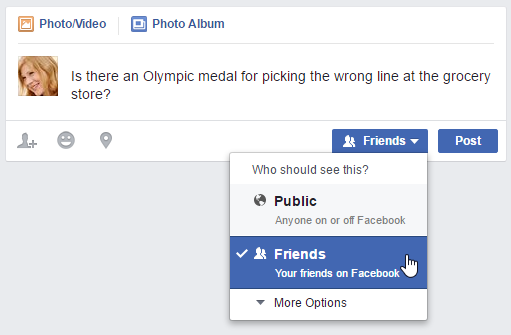
- Click Post. The status update will appear on your Timeline, on your News Feed, and on your friends' News Feeds.

Posting on a friend's Timeline
If you want to share something with a friend, you can post it directly on that friend's Timeline. To do this, simply use the Publisher located on your friend's Timeline.
Note that you cannot control privacy settings for the things you share on your friends' Timelines. For this reason, you should think carefully before posting anything that might be considered inappropriate or embarrassing. If you don't want other people to see your post, you can send your friend a private message instead.
See more:
More types of sharing
Facebook allows you to share much more than just status updates. For example, you can share:- Photos: It's easy to share your photos on Facebook. Just click Photo/Video in the Publisher. You can then upload a photo from your computer, or upload several pictures at once to create a photo album.
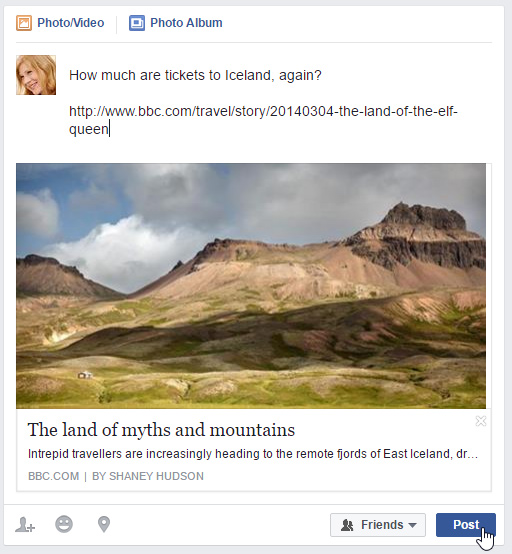
- Links: You can share a link to an article on the Web by typing or pasting the link into the Publisher.
- Location: You can share your physical location by clicking the Location button in the Publisher. You can then choose your current location from a list of nearby places.
0 Response to "Sharing on Facebook how does it work?"
Post a Comment